


Introduction
In today’s fast-paced software development landscape, engineering teams face the dual challenge of delivering value quickly while maintaining architectural integrity, documentation quality, and long-term maintainability. This guide is designed for software engineering teams seeking to adopt Agile UML software development—a disciplined yet flexible approach that combines the visual clarity of Unified Modeling Language (UML) with the speed and adaptability of Agile methodologies, supercharged by AI-powered tooling.
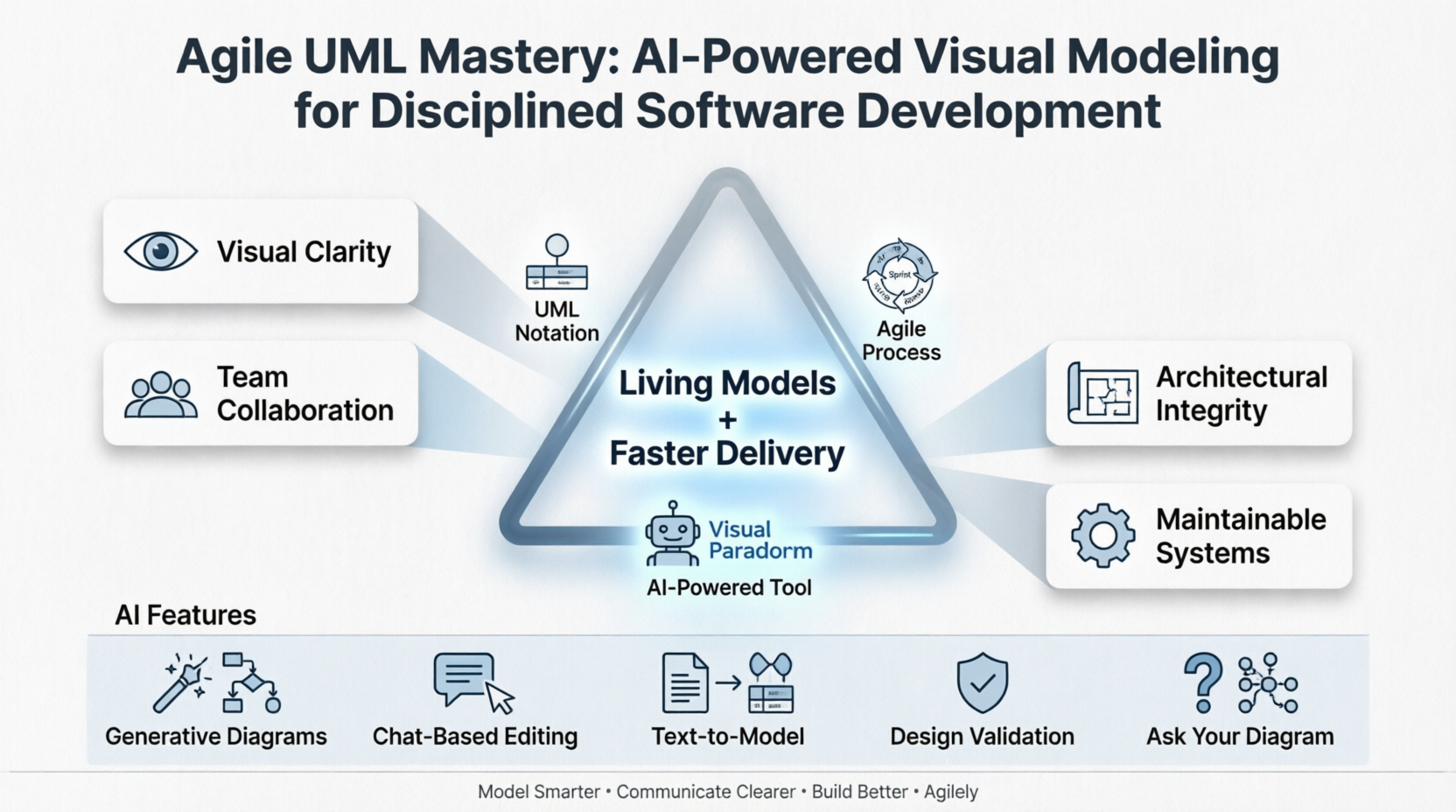
We explore how visual modeling serves as a universal language for cross-functional collaboration, how abstraction helps teams manage complexity without sacrificing rigor, and how modern platforms like Visual Paradigm integrate generative AI to transform textual requirements into structured, evolving models. Whether you’re refining sprint backlogs, designing microservices architectures, or documenting enterprise systems, this guide provides the framework, practices, and tooling insights to help your team model smarter, communicate clearer, and build better software—agilely and with discipline.
What is a Model?
Models are abstractions that portray the essentials of a complex problem or structure by filtering out nonessential details, thus making the problem easier to understand.
What is Abstraction?
Abstraction is a fundamental human capability that permits us to deal with complexity. Engineers, artists, and craftsmen have built models for thousands of years to try out designs before executing them. Development of software systems should be no exception.
Importance of Modeling in Agile Context
Modeling is a proven & well-accepted engineering technique. In building architecture, we develop architectural models of houses & high rises to help visualize the final products. In Unified Modeling Language (UML), a model may be structural, emphasizing the organization of the system or it may be behavioral, emphasizing the dynamics of the system. A model is a simplification of reality, providing blueprints of a system. UML, in specific:
-
Permits you to specify the structure or behavior of a system.
-
Helps you visualize a system.
-
Provides a template that guides you in constructing a system.
-
Helps to understand complex system part by part.
-
Document the decisions that you have made.
We build a model so that we can better understand the system we are developing. A model may encompass an overview of the system under consideration, as well as detailed planning for system design, implementation, and testing. In Agile environments, lightweight, just-in-time modeling supports iterative delivery while preserving architectural vision.
Dealing with Complexity with Abstraction and Views
To build complex systems, the developer must abstract different views of the system, build models using precise notations, verify that the models satisfy the requirements of the system, and gradually add detail to transform the models into an implementation.
Different Level of Complexity
We build models of complex systems because we cannot comprehend such systems in their entirety. There are limits to the human capacity to understand complexity. This concept may be seen in the world of architecture.
-
If you want to build a shed in your backyard, you can just start building;
-
If you want to build a new house, you probably need a blueprint;
-
If you are building a skyscraper, you definitely need a blueprint.

The same is true in the world of software. Staring at lines of source code or even analyzing forms in Visual Basic does little to provide the programmer with a global view of a development project. Constructing a model allows the designer to focus on the big picture of how a project’s components interact, without having to get bogged down in the specific details of each component.
Increasing complexity, resulting from a highly competitive and ever-changing business environment, offers unique challenges to system developers. Models help us organize, visualize, understand, and create complex things. They are used to help us meet the challenges of developing software today and in the future.
Triangle of Success in Visual Modeling
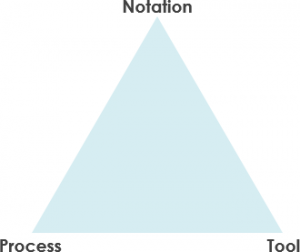
If we familiar UML, but if we don’t know how to use it by applying a process properly, we will probably fail. We may have a great process or methodology, but if you can’t communicate the process using an easy-to-understand notation, you will probably fail. And lastly, if you cannot document the artifacts of your work by using an effective tool, you will probably fail eventually.
Thus, we need all three facets of visual modeling:
-
notation,
-
process, and
-
tool.
The Role of Notation
Notation plays an important part in any model – it is the glue that holds the process together. The notation has three roles:
-
It serves as the visual language for communicating decisions that are not obvious or cannot be inferred from the code itself.
-
It provides semantics that is rich enough to capture all-important strategic and tactical decisions.
-
It offers a form concrete enough for humans to reason and for tools to manipulate.
The Unified Modeling Language (UML) provides a very robust notation, which grows from analysis into the design. Certain elements of the notation (for example, classes, associations, aggregations, inheritance) are introduced during analysis. Other elements of the notation (for example, containment implementation indicators and properties) are introduced during design.
The Role of Process: Aligning UML with Agile Practices
A Process Model describes the sequence of phases for the entire lifetime of a product. Therefore it is sometimes also called the Software Development Life Cycle (SDLC) which is a structure imposed on the development of the targeted system.
A software process is represented as a set of work phases that is applied to design and build a software product such as the waterfall process, Spiral, V-model, agile & Scrum process, LeSS, XP, Kanban and etc.
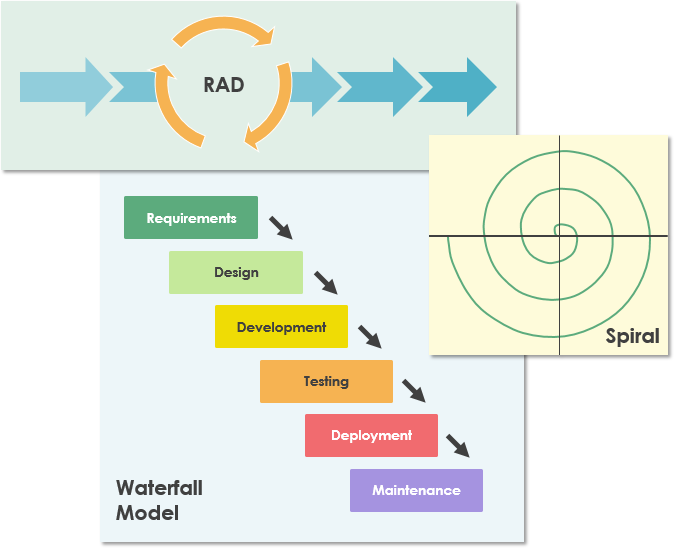
There is no ideal software process, and many organizations have developed their own approaches to software development. Software development processes should make maximum use of the capabilities of the people in an organization and the specific characteristics of the systems that are being developed.
For Agile Teams: UML modeling doesn’t have to be heavyweight. Use “just enough” modeling:
-
Sketch Use Case diagrams during sprint planning to align on scope
-
Create lightweight Class or Sequence diagrams during refinement to clarify complex interactions
-
Leverage AI to generate initial diagrams from user stories, then refine collaboratively
-
Keep models living and versioned alongside code for continuous alignment
The UML Software: Visual Paradigm for Agile Teams
Any software development method is best supported by a tool. There are many tools on the market today. From simple drawing tools to sophisticated one-stop-shop development platforms such as Visual Paradigm. Visual Paradigm is designed to provide the software developer with a complete set of visual modeling tools for the development of robust, efficient solutions faster, better and cheaper!
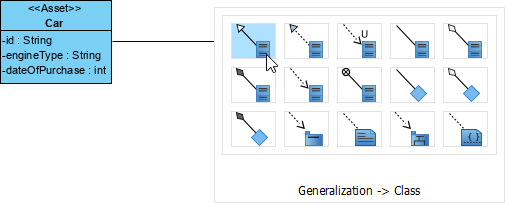
Drag-and-drop diagram editor
Create a connected shape instantly through the Resource Catalog feature. It’s simply a drag-and-drop to create a shape.
Support UML, BPMN, ArchiMate, DFD, ERD, SoaML, SysML, CMMN
Visual Paradigm supports a wide range of modeling standards and languages – UML, BPMN, ArchiMate, DFD, ERD, SoaML, SysML, CMMN and more.
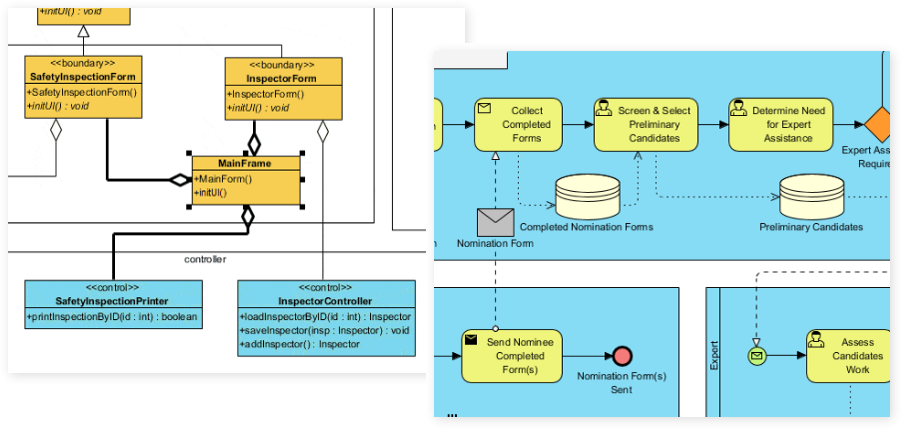
Effective modeling tools
Visual Paradigm is not only a UML drawing tool but a UML modeler that supports a wide range of modeling features such as elements reusability, diagram & element transformation, syntax validation, custom properties, etc.
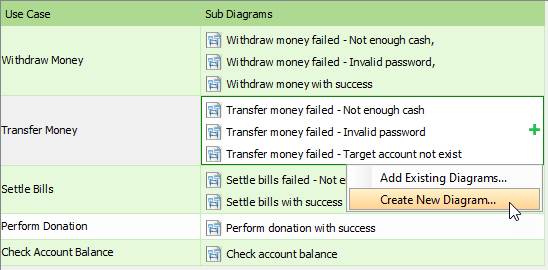
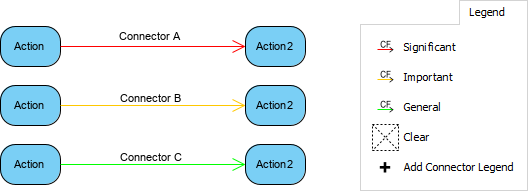
Many formatting options
Make your design attractive by applying different shapes and line formats.
Visual Paradigm provides a comprehensive UML modeling platform that integrates traditional software engineering tools with generative AI to automate diagram creation and refinement. [1, 2, 3]
AI-Powered UML Features for Agile Teams
Visual Paradigm has embedded artificial intelligence throughout its ecosystem to move from textual requirements to structured models. [4, 5]
-
Generative AI Modeling: Instantly generate all 14 standard UML 2.x diagrams—including Class, Sequence, Use Case, Activity, and State Machine diagrams—from simple natural language descriptions. Perfect for sprint zero or rapid prototyping.
-
Intelligent Chat-Based Editing: Use a conversational interface to refine diagrams. You can issue commands like “Add a payment gateway” or “Rename class Employee to Staff,” and the AI will update the visual model instantly—ideal for collaborative refinement sessions.
-
Textual Analysis & Extraction: The AI can analyze unstructured documents (user stories, requirements docs, meeting notes) to identify actors, entities, and relationships, automatically transforming them into a structured UML model.
-
Design Validation & Critique: The AI architect can provide an architectural critique, identifying missing relationships or suggesting include/extend structures to ensure model quality—supporting disciplined design reviews within Agile ceremonies.
-
“Ask Your Diagram”: This capability allows you to query your visual model as if it were a knowledge base to gain insights or generate summaries and proposal reports—enabling data-driven decisions during sprint retrospectives or stakeholder demos. [1, 3, 4, 5, 6, 7, 8]
Standard UML Support & Features for Professional Teams
Beyond its AI capabilities, Visual Paradigm is an industry-standard tool for professional-grade modeling. [3]
-
Full UML 2.x Support: Comprehensive tools for all 14 UML diagram types, ensuring compliance with official specifications.
-
Code Engineering: Supports Round-trip Engineering, allowing you to generate source code (Java, C#, Python, etc.) from UML models or reverse-engineer existing code back into diagrams—bridging design and implementation in continuous delivery pipelines.
-
Database Engineering: Generate database scripts (DDL) and Hibernate ORM from Entity Relationship Diagrams (ERDs).
-
Team Collaboration: Cloud-based workspace for concurrent modeling, revision history, and commenting by multiple stakeholders—essential for distributed Agile teams.
-
Cross-Platform Availability: Accessible via a browser-based Visual Paradigm Online interface or a powerful Desktop client.
-
Flexible Exports: Models can be exported as PlantUML code, SVG, JSON, or embedded directly into Microsoft Office documents. [2, 4, 8, 9, 10, 11, 12, 13]
Visual Paradigm Product Editions
| Edition [4, 9, 10, 14, 15] | Key Features |
|---|---|
| Community | Free for non-commercial use; supports all UML diagram types for learning and lightweight Agile prototyping. |
| Professional | Includes full AI features, direct diagram import to desktop, and code engineering—ideal for Agile teams needing AI-assisted modeling and round-trip engineering. |
| Enterprise | Adds support for ArchiMate, SysML, and advanced enterprise architecture frameworks—suited for scaled Agile (SAFe, LeSS) and regulated industries requiring traceability. |
Conclusion: Modeling with Discipline, Delivering with Agility
Adopting UML within an Agile context isn’t about returning to heavyweight documentation—it’s about leveraging visual modeling as a living, collaborative artifact that evolves with your product. By embracing the Triangle of Success—precise notation (UML), adaptive process (Agile/Scrum), and intelligent tooling (AI-powered Visual Paradigm)—software engineering teams can achieve a disciplined yet flexible workflow.
AI-powered features transform modeling from a manual, time-consuming task into an interactive, conversational practice. Teams can generate initial designs from user stories, refine them through chat-based commands, validate architecture in real-time, and keep models synchronized with code—all while maintaining the speed and responsiveness Agile demands.
Start small: use AI to draft a Use Case diagram from your sprint backlog, collaborate on refinements during grooming, and export clean documentation for stakeholders. Scale up: integrate round-trip engineering to keep models and code in sync, use “Ask Your Diagram” for sprint retrospectives, and leverage cloud collaboration for distributed teams.
With the right mindset, process, and tools, UML becomes not a bottleneck, but a catalyst—for clarity, alignment, and sustainable agility.
References
-
Visual Paradigm UML Tool Features: Comprehensive overview of Visual Paradigm’s UML modeling capabilities, including diagram types, collaboration features, and integration options for professional software development teams.
-
Comprehensive Guide to UML State Machine Diagrams with Visual Paradigm and AI: In-depth tutorial on leveraging AI-assisted tools to create, validate, and refine UML State Machine diagrams for complex behavioral modeling.
-
Guide to AI-Powered UML Diagram Generation: Official guide explaining how Visual Paradigm’s conversational AI transforms natural language prompts into structured UML diagrams across all 14 standard types.
-
Visual Paradigm Ecosystem: AI-Supported UML Diagram Features: Review of Visual Paradigm’s AI integration across its modeling ecosystem, highlighting automation, validation, and collaborative features for Agile teams.
-
Comprehensive Review: Visual Paradigm’s AI Diagram Generation Features: Independent evaluation of generative AI capabilities in Visual Paradigm, including accuracy, usability, and practical applications for software engineering workflows.
-
Visual Paradigm AI UML Demo Video: Video demonstration showcasing real-time AI-assisted UML diagram creation, editing, and refinement using natural language commands.
-
AI-Assisted UML Class Diagram Generator: Interactive tool page demonstrating how to generate and customize UML Class diagrams from textual descriptions using Visual Paradigm’s AI engine.
-
Visual Paradigm AI Chatbot Features: Detailed documentation of the conversational AI interface for diagram editing, validation, and knowledge extraction within Visual Paradigm.
-
Visual Paradigm Product Features Overview: Complete catalog of Visual Paradigm’s modeling, collaboration, code engineering, and AI capabilities across all product editions.
-
Visual Paradigm Homepage: Official website providing access to downloads, documentation, tutorials, and community resources for Visual Paradigm users.
-
PlantUML and JSON Export Capabilities: Information on exporting UML models to interoperable formats like PlantUML, SVG, and JSON for integration with DevOps pipelines and documentation systems.
-
AI-Assisted UML Class Diagram Generator (Alternate Link): Dedicated feature page for the AI-powered Class diagram generator, including use cases and integration examples.
-
UML Class Diagram Tutorial: Step-by-step tutorial for creating professional UML Class diagrams, covering notation, best practices, and tool-specific tips.
-
Visual Paradigm Community Edition Guide: Guide to leveraging the free Community Edition for learning, prototyping, and non-commercial Agile modeling projects.
 curtis
- AI, AI Chatbot, UML
- April 10, 2026
