


Introduction
For years, software architecture and Agile development existed in a state of uneasy tension. On one side, the “traditional architect” produced monolithic, exhaustive design documents that were often obsolete before the first sprint even concluded. On the other side, Agile teams—prioritizing speed and working software—frequently abandoned modeling altogether. The result? “Architecture by accident,” fragmented systems, and unmanageable technical debt.
But the binary choice between rigid, outdated documentation and chaotic, undocumented code is a false dichotomy. Enter the Agile Architect: a modern, hands-on team member who facilitates delivery through continuous visualization rather than static documentation.
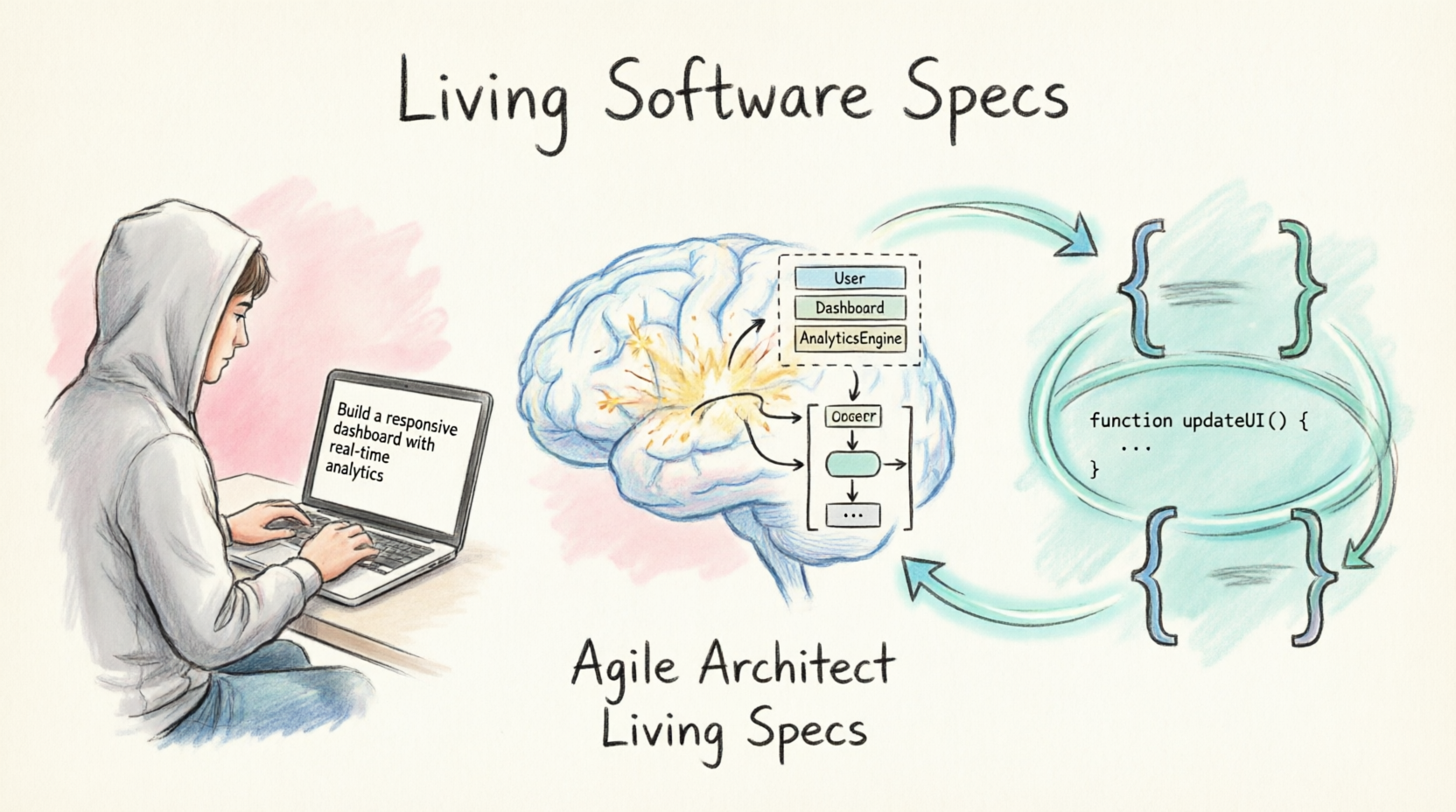
By leveraging Visual Paradigm’s advanced AI capabilities, this new breed of architect transforms static UML diagrams into Living Software Specs. These are dynamic, synchronized, and executable sources of truth that evolve precisely in tandem with the codebase. This comprehensive guide details the foundational concepts of this paradigm shift and provides an actionable, step-by-step workflow for implementation.
Part 1: Key Concepts
To successfully adopt this methodology, teams must understand the foundational concepts that separate “Living Specs” from traditional, static documentation.
1.1 What are “Living Software Specs”?
A Living Software Spec is a model (UML diagram) that transcends being a mere picture. It is:
-
Synchronized: It automatically reflects changes in the source code (and vice versa) through continuous bi-directional syncing.
-
Executable: It can generate code scaffolding, API definitions, and database schemas directly from the model.
-
Queryable: Team members can ask the integrated AI questions about the model (e.g., “Which classes depend on the Payment gateway?” or “What are the edge cases for this sequence?”).
-
Publishable: It generates beautiful, web-based, and fully formatted documentation on demand, eliminating manual writing.
1.2 The Role of the Agile Architect
The Agile Architect is no longer an ivory-tower, “god-like” designer. Instead, they are embedded in the team as:
-
A Modeler-in-Context: They draw and refine diagrams during the sprint, adapting to new discoveries in real-time.
-
An AI Orchestrator: They use Visual Paradigm’s AI Assistant to rapidly translate business jargon and user stories into technical UML.
-
A Sync Keeper: They ensure the UML model and the code repository remain tightly coupled, acting as the guardian of the Single Source of Truth.
1.3 Visual Paradigm’s AI as the Engine
Visual Paradigm provides specific, powerful features that enable Living Specs:
-
AI Text-to-Model: Generate Use Cases, Class, and Sequence diagrams instantly from plain English prompts.
-
AI Model Summarization: Automatically write specifications, constraints, and contextual notes attached to UML elements.
-
Round-Trip Engineering: Seamlessly reverse-engineer code into UML and forward-engineer UML into code, keeping both “alive.”
1.4 Specification as a Single Source of Truth (SSoT)
In this workflow, the Visual Paradigm project file becomes the ultimate SSoT. Jira tickets, README files, onboarding docs, and API references are all derived from the model, ensuring they never drift out of sync.
Part 2: Comprehensive Workflow (Prompt to Living Spec)
Here is how an Agile Architect uses Visual Paradigm to create and maintain Living Specs during an active sprint.
Step 1: Elicitation via Natural Language (The Prompt)
The architect opens Visual Paradigm and engages the AI Assistant. Instead of manually dragging and dropping boxes, they paste the sprint’s epic description or user story:
“We need a notification service that sends emails and SMS when an order ships. It should retry twice on failure and log the attempt.”
The AI instantly generates a foundational Component Diagram and a Sequence Diagram.
Step 2: Enriching the Model with AI-Generated Specs
The architect selects the generated diagrams and prompts the AI to deepen the specification:
-
Generate acceptance criteria for each identified use case.
-
Add constraints (e.g., “Retry limit = 2”, “Timeout = 5s”) as UML notes.
-
Suggest design patterns (e.g., “Use Strategy Pattern for Email vs. SMS routing”).
The UML diagram is no longer just shapes; it is a rich, annotated, and executable specification.
Step 3: Forward Engineering (Model to Code)
Using Visual Paradigm’s code generation—enhanced by AI for cleaner syntax and modern framework adherence—the architect produces:
-
Interface definitions (e.g.,
INotificationSender). -
Base classes, DTOs, and relationship mappings.
Developers pick up this robust scaffolding and focus purely on filling in the complex business logic, saving hours of boilerplate coding.
Step 4: Keeping it “Alive” (Round-Trip Sync)
Mid-sprint, a developer realizes they need to add a “Push Notification” option to the code. They implement it in the IDE.
Visual Paradigm’s reverse engineering detects the new class and automatically updates the UML Component Diagram. The spec is now “living”—it changed because the code changed, with zero manual diagram updating required.
Step 5: Publishing the Living Doc
At the sprint review, the architect clicks “Publish to HTML/Web” in Visual Paradigm. Stakeholders and new team members are presented with a fully formatted, up-to-date technical specification generated entirely from the AI-maintained UML, rather than a manually written, likely outdated Word document.
Part 3: Guidelines for Agile Architects
To maximize the value of Visual Paradigm’s AI and avoid falling back into heavy documentation habits, follow these strict guidelines.
Guideline 1: Practice Just-In-Time (JIT) Modeling
-
Do: Model only the epic or user story your team is pulling into the current sprint.
-
Don’t: Attempt to model the entire system architecture for the year. Living specs are lightweight, iterative, and focused.
-
VP Tip: Use Visual Paradigm’s project split or “Diagram Summary” features to keep sprint-specific models isolated and manageable.
Guideline 2: Let AI Handle the Syntax, You Handle the Semantics
-
Do: Use AI to generate the initial UML structure from text prompts to save time and eliminate blank-canvas paralysis.
-
Don’t: Blindly trust the AI’s generated relationships. The Agile Architect must review the logic for technical correctness and domain accuracy.
-
VP Tip: Use the “Validate” feature in Visual Paradigm immediately after AI generation to catch UML syntax and structural errors.
Guideline 3: Treat the Model as a Communication Tool, Not a Contract
-
Do: Use the living UML in Daily Scrums to explain complex flows (e.g., projecting the Sequence Diagram on a screen to resolve a blocker).
-
Don’t: Use the model to “blame” developers for deviating from a rigid plan. If the code implementation is better, update the model via reverse engineering.
-
VP Tip: Use Visual Paradigm’s “Comment” and “Review” features to let the whole team annotate and discuss the living spec asynchronously.
Guideline 4: Automate Documentation Distribution
-
Do: Schedule Visual Paradigm to auto-publish the model to a shared Confluence space, internal wiki, or web portal at the end of every sprint.
-
Don’t: Manually copy-paste diagram images into a separate wiki that will immediately become stale.
-
VP Tip: Use Visual Paradigm’s REST API or CLI to hook model publishing directly into your CI/CD pipeline for true automation.
Guideline 5: Maintain a “Walking Skeleton” Model
-
Do: Keep one high-level, AI-generated Context or Component diagram that shows the whole system at 10,000 feet. Let the AI update it as new microservices or modules are added.
-
Don’t: Let the “living spec” devolve into thousands of entangled, unreadable, and hyper-specific diagrams.
-
VP Tip: Use Visual Paradigm’s “Diagram Layers” to hide deep complexity from non-technical stakeholders while keeping the underlying spec complete for engineers.
Part 4: The Paradigm Shift: Traditional UML vs. AI-Driven UML
In Agile development, the focus is on working software, rapid iteration, and responding to change. Historically, UML and Agile have had a tense relationship. Here is how the dynamic shifts when you introduce AI (specifically within a tooling environment like Visual Paradigm):
1. Traditional UML (Standalone)
-
Manual Overhead: Developers and architects spend significant time manually drawing class, sequence, and use case diagrams. In fast-paced Agile sprints, this is viewed as “wasted” time.
-
Static & Outdated Artifacts: Diagrams are created at the beginning of a project and become stale as code evolves. Teams quickly abandon them because they no longer reflect reality.
-
Documentation-Heavy Mentality: Traditional UML leans toward “Big Design Up Front” (BDUF), which directly contradicts Agile’s iterative planning.
-
High Skill Barrier: Effective modeling requires specialized knowledge of UML syntax, alienating product owners and junior developers.
2. AI + UML (with Visual Paradigm)
-
Instant Model Generation: Teams type plain-English requirements and instantly generate accurate diagrams, removing the manual drawing bottleneck.
-
Living, Synchronized Artifacts: AI-powered round-trip engineering ensures the model stays in sync with the codebase, making it highly useful for sprint retrospectives, debugging, and onboarding.
-
Automated Backlog Creation: AI can analyze a UML model and automatically suggest Agile user stories, acceptance criteria, and test cases, directly populating the product backlog.
-
Lower Barrier to Entry: Product owners and junior developers can participate in modeling by simply describing systems in natural language, fostering the cross-functional collaboration that is a core Agile principle.
The Overall Effect on Agile Development
-
Traditional UML often slows down Agile development by adding documentation overhead and creating a disconnect between design and execution.
-
AI + UML (via Visual Paradigm) accelerates Agile development by automating the “busy work” of modeling. It turns diagrams into executable specs, allowing teams to visualize complex architectures instantly without breaking their sprint velocity. It transforms UML from a “documentation burden” into a dynamic sprint-enabling tool.
Conclusion
The narrative that “Agile means no architecture” is a dangerous myth that has cost companies millions in technical debt. The Agile Architect is not a relic of the Waterfall past; they are the essential navigator of the complex, fast-paced Agile present.
By leveraging Visual Paradigm’s AI to transform UML into Living Software Specs, teams finally bridge the gap between high-level design and rapid execution. They gain the profound visualization and communication benefits of modeling without the crushing documentation overhead that historically slowed them down.
When your specifications live, breathe, and sync automatically with your code, you eliminate the drift between what was designed and what was built. In an era where software requirements change daily, your architecture must change with it. With AI-driven Living Specs, Agile teams can finally achieve the ultimate goal: continuous clarity, at the speed of Agile.
Reference
-
From Text to Architecture: Accelerating UML Modeling with Visual Paradigm’s Generative AI: Details how AI transforms natural language into UML diagrams, with features like a prompt-to-diagram engine, conversational refinement, and intelligent diagnostics .
-
Part III: AI-Powered ArchiMate Modeling: Explores AI-driven enterprise architecture modeling, using the AI Diagram Generator and Chatbot to automate complex, multi-layer ArchiMate diagrams .
-
Frequently Asked Questions about AI in Visual Paradigm TOGAF Guide-Through: Provides answers to common questions about AI capabilities in the TOGAF Guide-Through, including artifact generation, data privacy, and output accuracy .
-
AI Flowchart Generator: Demonstrates transforming text descriptions into professional flowcharts, using a customer support ticket system as an example to show automated process visualization .
-
From “Drawing Chores” to “Articulation”: Overviews the three pillars of Visual Paradigm’s AI ecosystem: the AI Chatbot, Step-Based Apps for guided discovery, and the Embedded Diagram Generator for precision engineering .
-
Case Study: Enhancing System Modeling Efficiency with Visual Paradigm’s AI-Powered Chatbot: Presents a case study on using the AI chatbot to generate a sequence diagram for an ATM cash withdrawal, highlighting instant generation and on-demand documentation .
-
What Makes Visual Paradigm’s AI Chatbot Different from Other AI Diagram Tools?: Explains the chatbot’s distinction through its foundation in formal modeling standards (UML, SysML, ArchiMate) and its integrated, context-aware approach .
-
AI Component Diagram Generator: Describes the AI-powered generation of component diagrams, covering workflows across the Desktop application, OpenDocs platform, and the AI Modeling Chatbot .
-
AI Diagram Generators – Visual Paradigm Ecosystem: Outlines the complete AI-powered visual modeling ecosystem, including VP Desktop, OpenDocs, the AI Chatbot, and Web Apps for step-by-step guided modeling .
-
AI Diagram Generation Guide: Instantly Create System Models with Visual Paradigm’s AI: A step-by-step guide on using the AI Diagram Generation feature, covering selection of diagram types, entering descriptions, and reviewing generated models .
-
Overcoming the “Blank Canvas”: Discusses how natural language prompts in the AI Chatbot help users bypass the “blank canvas” syndrome by instantly generating system context diagrams .
-
AI State Machine Diagram Generator: Focuses on generating UML state machine diagrams from plain English descriptions, using an order lifecycle example to illustrate the process .
 curtis
- Uncategorized
- July 8, 2026
