


The landscape of technical documentation is shifting rapidly. For years, engineers have relied on manual drawing tools that separate the design process from the implementation details. However, a more efficient paradigm is emerging: Diagram-as-Code. By treating diagrams as text files, developers can version control their architecture, automate updates, and ensure consistency across documentation.
While powerful, traditional diagram-as-code tools like Mermaid or PlantUML can have a steep learning curve. This is where VPasCode combined with Artificial Intelligence changes the game. It bridges the gap between a simple idea and a production-ready architectural diagram.
The Evolution: From Idea to Documentation
Traditional diagram-as-code is efficient once you know the syntax, but it often requires:
- Learning specific grammar: memorizing how to define nodes and connectors.
- Debugging syntax errors: fixing typos that prevent rendering.
- Manual styling: applying colors, shapes, and layout adjustments.
- Translating labels: ensuring diagrams are readable for different audiences (e.g., developers vs. stakeholders).
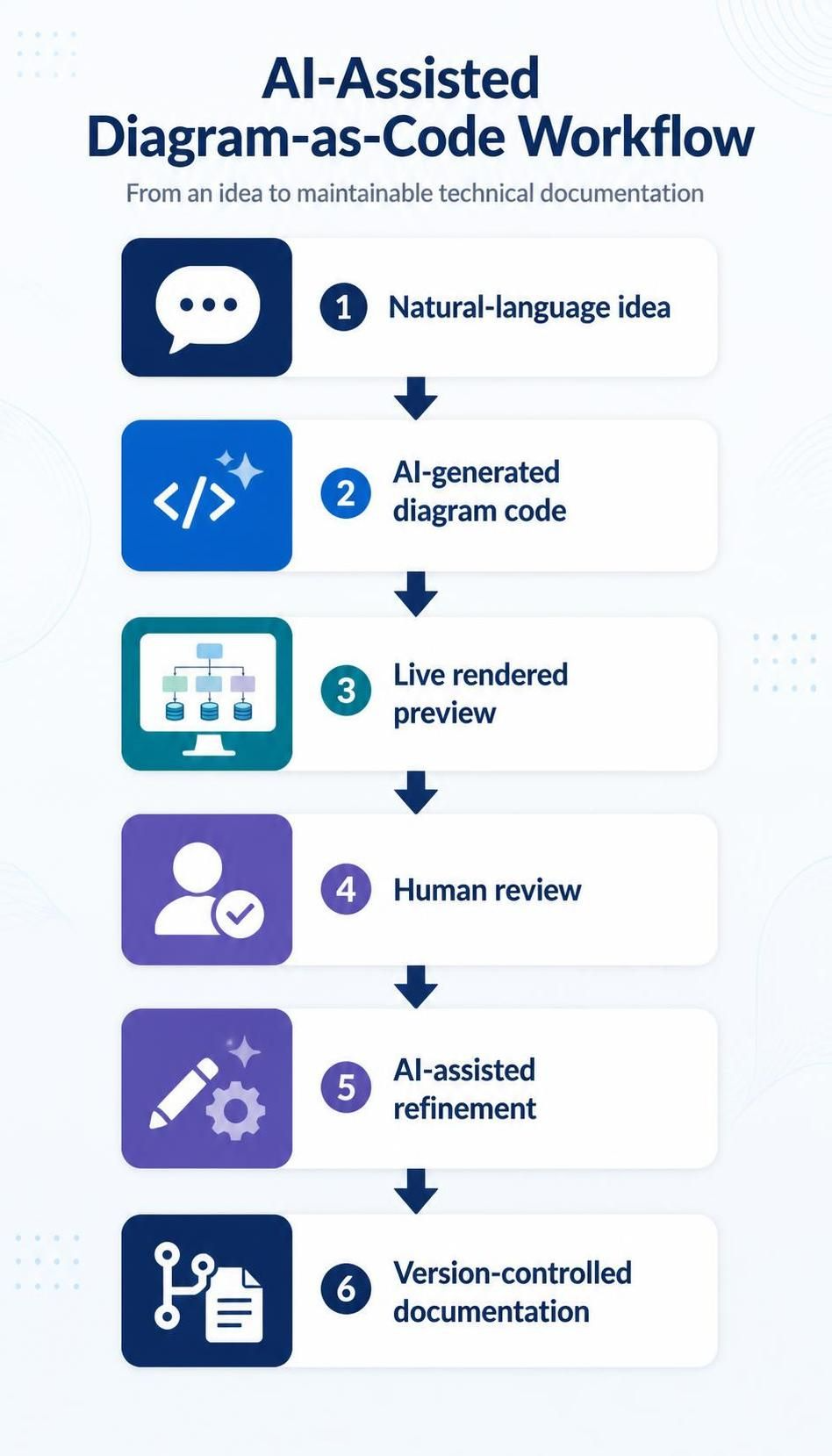
The AI-assisted workflow solves these pain points by introducing a collaborative loop between human intent and machine execution. The process follows six distinct stages:
- Natural-language idea: The starting point is simply a concept or a requirement.
- AI-generated diagram code: The AI interprets the prompt and writes the necessary code (e.g., Mermaid or PlantUML).
- Live rendered preview: The code is instantly compiled into a visual representation.
- Human review: The engineer validates the accuracy and logic of the diagram.
- AI-assisted refinement: The user asks the AI to modify specific parts (e.g., “change the order service to asynchronous”).
- Version-controlled documentation: The final artifact is committed to a repository as a text file.
Step-by-Step: Generating an Architecture Diagram
To understand how this workflow functions in practice, let’s walk through creating a standard e-commerce system architecture diagram. We will use Mermaid syntax, a popular choice for diagram-as-code due to its readability.
1. The Natural-Language Prompt
Instead of writing code from scratch, you start with a clear description of the system components and their interactions. You might ask the AI to:
“Create a Mermaid architecture diagram for an e-commerce system with a browser client, API gateway, product service, order service, payment provider, message queue, and PostgreSQL database. Show synchronous and asynchronous communication.”
2. The AI-Generated Code
Upon receiving the prompt, the AI generates the underlying code structure. In VPasCode, this happens instantly. The code looks like this:
graph TD
    subgraph "E-Commerce System"
        direction LR

        Client[Browser Client]

        subgraph "Backend Services"
            Gateway[API Gateway]
            ProductSvc[Product Service]
            OrderSvc[Order Service]
            Payment[Payment Provider]
        end

        DB[(PostgreSQL)]
        MQ[Message Queue]
    end

    %% Synchronous Communication
    Client --> Gateway
    Gateway --> ProductSvc
    Gateway --> OrderSvc

    %% Asynchronous Communication
    OrderSvc --> MQ
    MQ --> Payment

    %% Data Access
    ProductSvc --> DB
    OrderSvc --> DB
3. Live Rendered Preview & Human Review
Once the code is generated, the diagram renders immediately. This allows you to visually inspect the flow. In our example, you can see the Client connecting to the Gateway, and the Order Service interacting with the Message Queue before hitting the Payment Provider.
This is the “Human Review” stage. You verify that the asynchronous path (via the queue) is correctly represented and that the database connections are accurate.
4. AI-Assisted Refinement
If you decide that the Product Service should also be asynchronous to handle high traffic, you don’t need to rewrite the whole block. You simply ask the AI:
“Update the Product Service to use the Message Queue for asynchronous processing.”
The AI updates the code, and the diagram refreshes. This iterative process allows for rapid prototyping of architectural decisions.
Why This Workflow Matters
The transition to an AI-assisted workflow does more than just save typing time. It democratizes diagramming. Engineers no longer need to be “diagrammers” to produce high-quality documentation. They simply need to be clear about their system’s logic.
By outputting text files, these diagrams become:
- Versionable: You can track changes in Git diffs just like code.
- Portable: The diagram is just text; it works in any text editor.
- Automatable: CI/CD pipelines can verify that diagrams match the codebase.
Whether you are using VPasCode or another tool, embracing this workflow ensures your documentation remains accurate, maintainable, and aligned with your code.
 vpadmin
- October 20, 2026
