


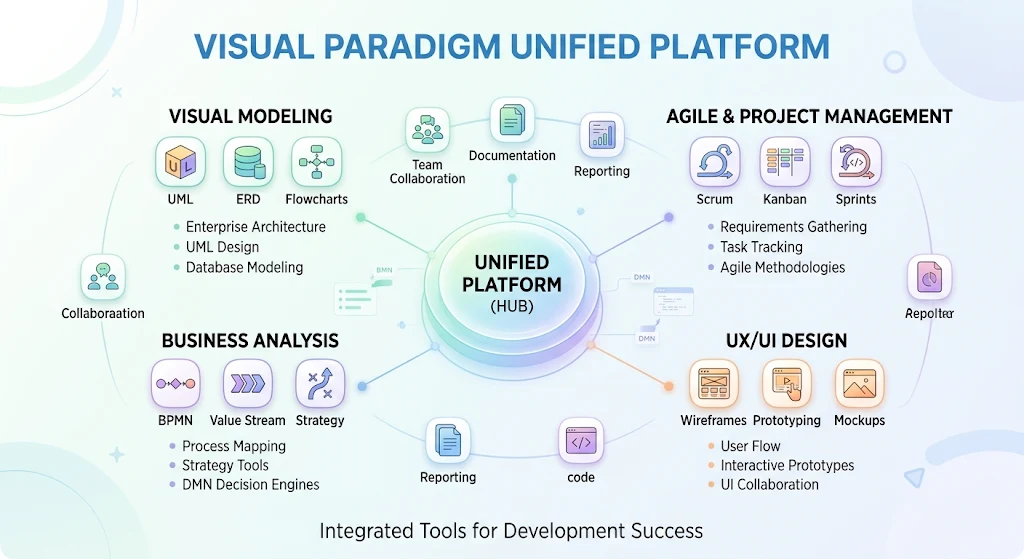
The Visual Paradigm Unified Platform serves as the central orchestration layer and common dashboard designed to solve file fragmentation and tool disconnect across the Visual Paradigm product family.
Rather than treating local modeling software, text-driven diagram tools, and web micro-apps as separate, isolated silos, the Unified Platform bridges them into a single cohesive workspace.
1. Purpose of the Unified Platform
-
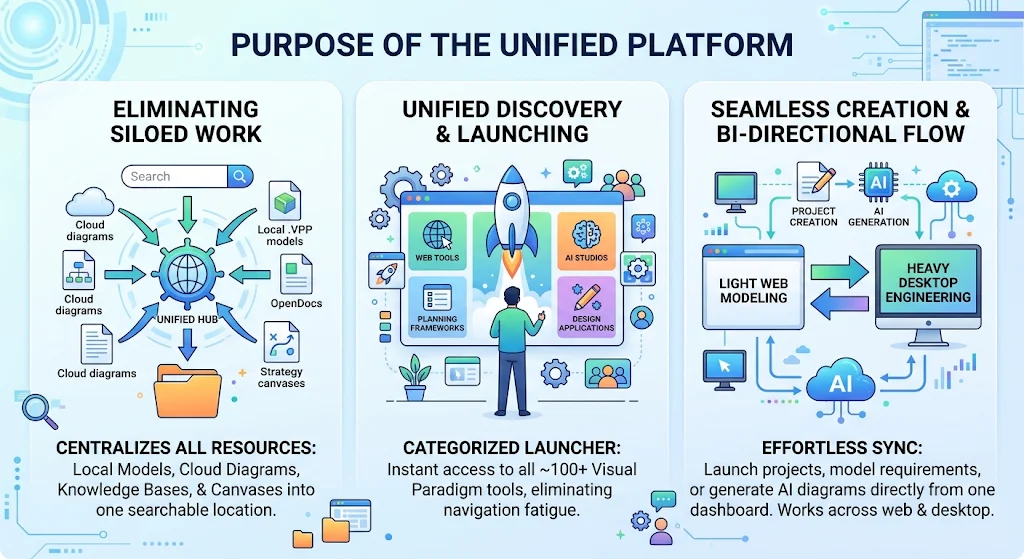
Eliminating Siloed Work: Centralizes local
.vppdesktop models, cloud-saved web diagrams, OpenDocs knowledge bases, and strategy canvases into one searchable location. -
Unified Discovery & Launching: Eliminates app navigation fatigue by giving you a categorized launcher for all ~100+ Visual Paradigm web tools, planning frameworks, and AI studios.
-
Seamless Creation & Bi-Directional Flow: Lets you launch new projects, model requirements, or generate AI diagrams directly from one dashboard, ensuring artifacts sync effortlessly between browser-based light modeling and heavy desktop engineering.

2. How to Use It within the Visual Paradigm Ecosystem
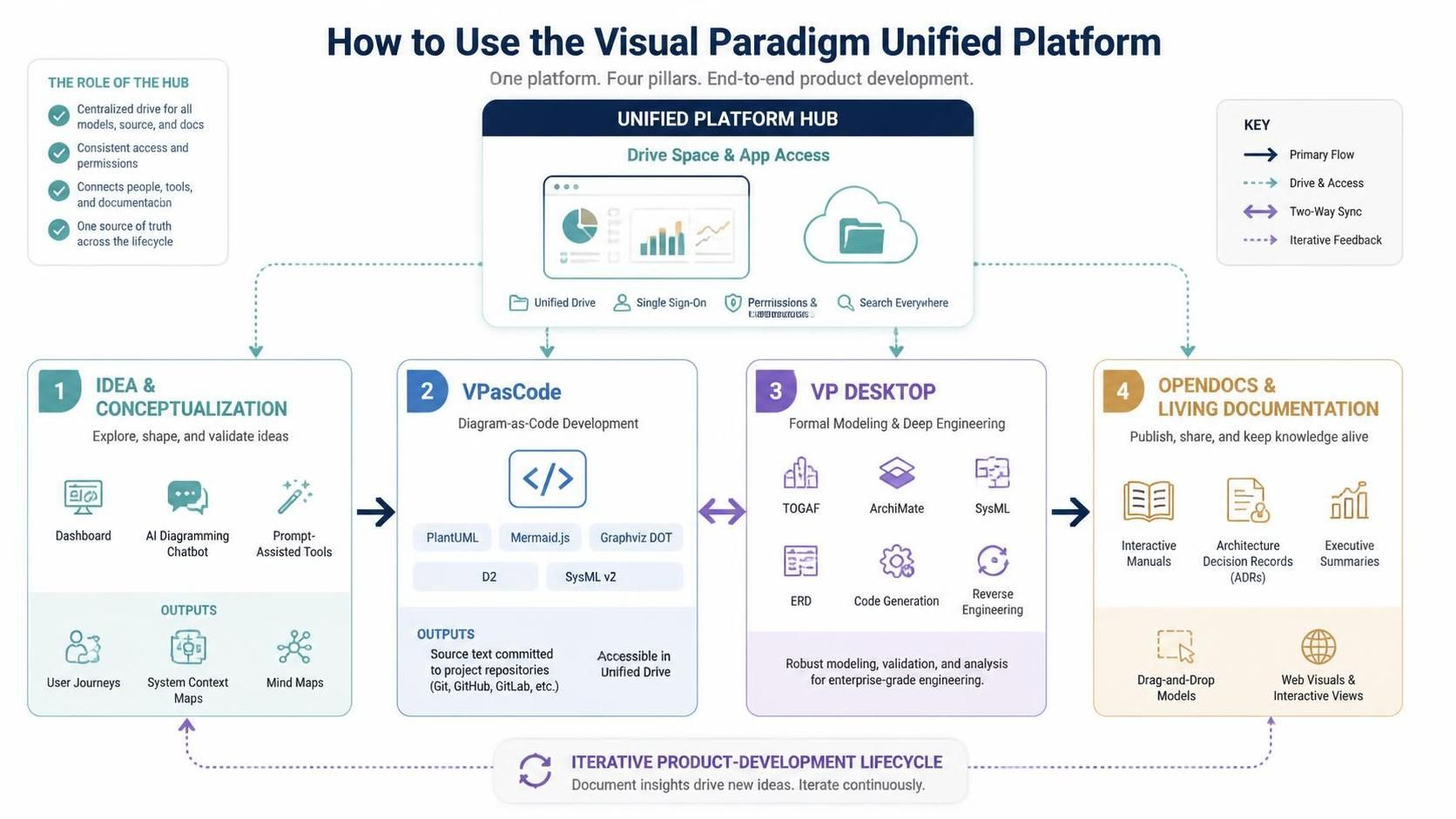
The Unified Platform acts as the hub connecting four core operational pillars of the ecosystem:
-
Idea & Conceptualization Phase:
-
Open the Unified Platform Dashboard to launch quick-start tools.
-
Use the AI Diagramming Chatbot or prompt-assisted tools to draft initial user journeys, system context maps, or mind maps.
-
Text-Based Architecture & Versioning (VPasCode):
-
Jump into VPasCode to define diagrams declaratively using PlantUML, Mermaid.js, Graphviz DOT, D2, or SysML v2.
-
Commit diagram source text into project repositories while keeping them instantly accessible inside the Unified Drive.
-
Formal Modeling & Deep Engineering (VP Desktop):
-
Import AI-generated drafts or cloud-synced models into Visual Paradigm Desktop for detailed enterprise architecture (TOGAF, ArchiMate), database schema design (ERD), code generation, or reverse engineering.
-
Publishing & Living Documentation (OpenDocs):
-
Drag and drop desktop models or web app visuals into OpenDocs or document editors to create live, interactive software specification manuals, architecture decision records (ADRs), or executive summaries.
3. Why It Feels Like “Home” for Visual Paradigm
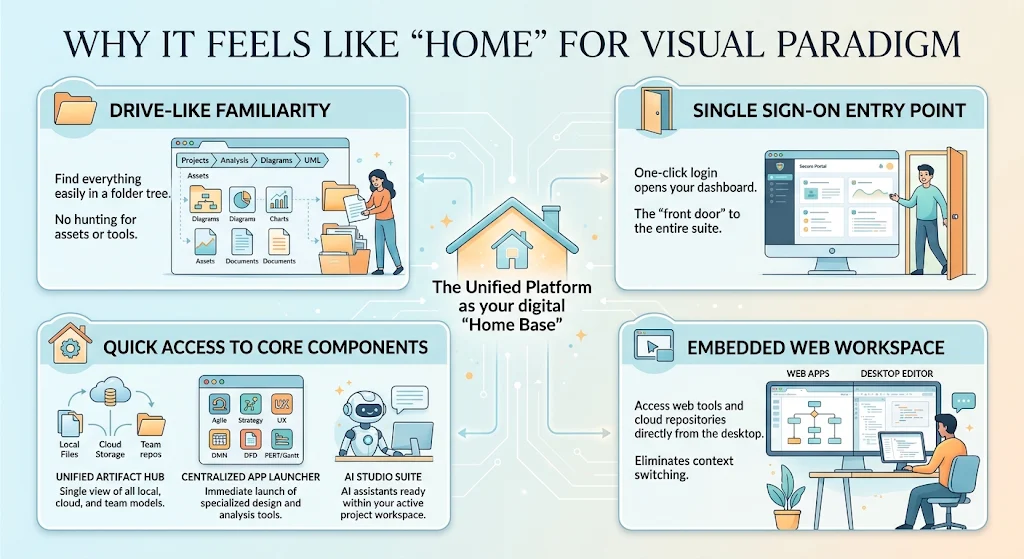
It acts as a digital “Home Base” because it provides:
-
Drive-Like Familiarity: It organizes every diagram, canvas, document, or dataset into a familiar drive-like directory structure. You never have to hunt for where an asset was saved or remember which specific tool generated it.
-
Single Sign-On Entry Point: Logging in places you straight onto your main dashboard, acting as the front door to the entire suite.
-
Quick Access to Core Components:
-
Unified Artifact Hub: A single view of local desktop models, cloud storage, and shared team repositories.
-
Centralized App Launcher: Immediate access to specialized suites (Agile Backlog Refinement, Strategic Canvases, UX Wireframing, DMN Decision Engines, DFDs, and PERT/Gantt visualizers).
-
AI Studio Suite: Integrated AI assistants available right alongside your active project workspace.
-
Embedded Web Workspace: Allows desktop power users to access web applications and cloud repositories directly from within the desktop environment, eliminating context switching.
 curtis
- VP Unified Platform
- November 11, 2026
