


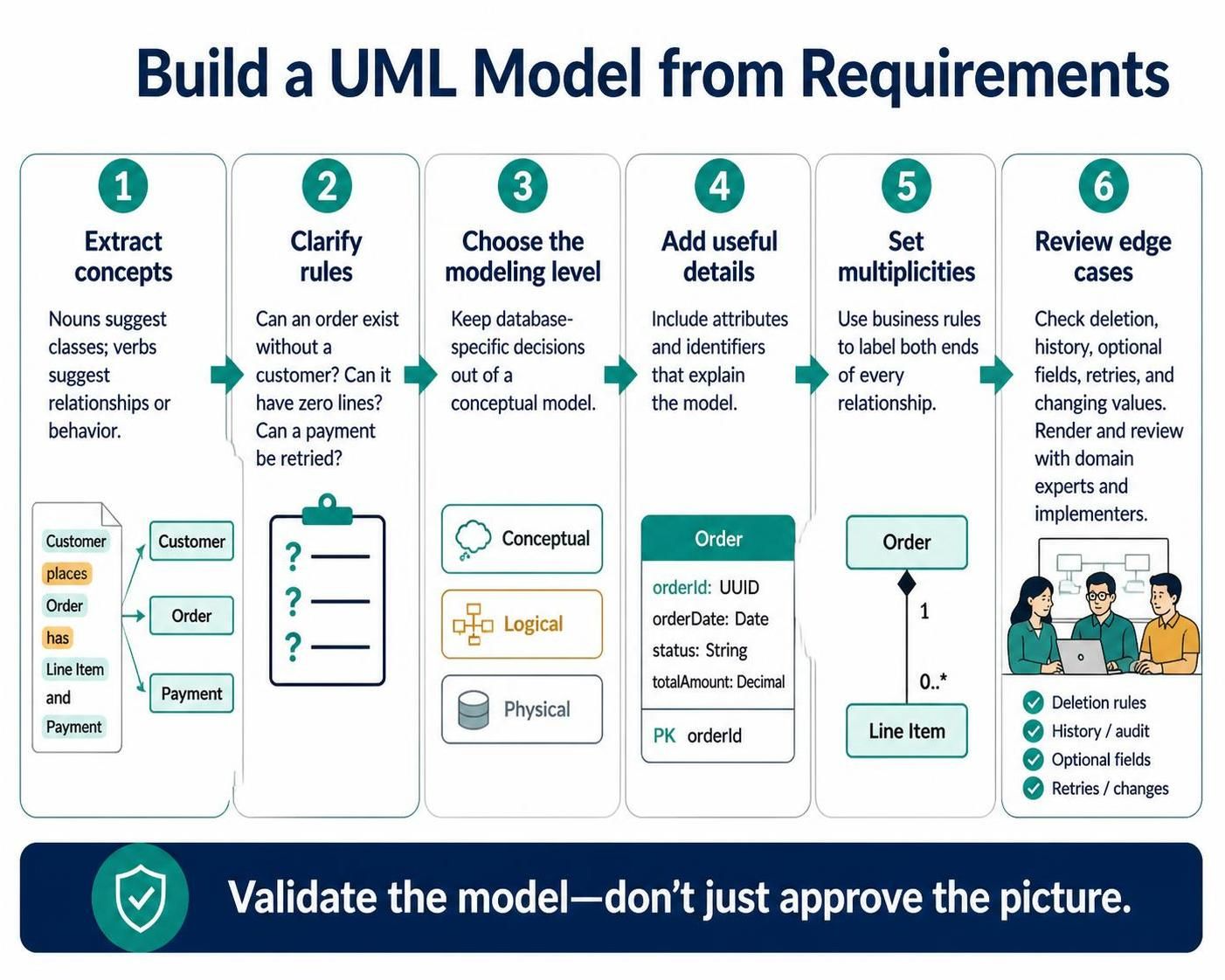
Creating a robust system architecture often begins with a single, critical challenge: translating unstructured business requirements into a structured technical model. Whether you are using Visual Paradigm or a code-first approach like VPasCode, the risk of building a “house of cards” is high if the foundation isn’t solid. This tutorial breaks down the six-step methodology for building a UML Model from Requirements, ensuring your architecture is both technically sound and business-aligned.
Step 1: Extract Candidate Concepts from Domain Language
The journey begins with the text itself. In object-oriented analysis, the most immediate source of truth is the domain language used in requirements documents. You must perform a linguistic extraction to identify potential building blocks of your system.
- Identify Nouns: Nouns in a sentence typically represent Classes or Entities. If the requirement mentions “Customer,” “Order,” and “Payment,” these are your primary candidates for classes.
- Identify Verbs: Verbs usually suggest Relationships (associations) or Behavior (methods). For example, the phrase “Customer places Order” indicates an association between the Customer and Order classes.
Example: If a requirement states “A customer places an order,” you immediately extract Customer, Order, and the relationship places.
Step 2: Clarify Rules with Concrete Questions
Once you have your candidate concepts, you must stress-test them against business logic. A model is only as good as the rules it enforces. This step requires asking specific, binary questions to uncover hidden constraints.
- Existence Constraints: Can an
Orderexist without aCustomer? In most systems, the answer is no, implying an existence dependency. - Cardinality Checks: Can an order have zero lines? If the answer is no, the model must enforce a minimum of one line item.
- Behavioral Logic: Can a
Paymentbe retried? If yes, the model needs to account for state changes or retry mechanisms.
Step 3: Choose the Modeling Level
One of the most common mistakes in modeling is mixing concerns. You must decide on the abstraction level before drawing lines. Visual Paradigm and similar tools allow you to visualize different levels of detail:
- Conceptual Level: Focuses on business concepts. Keep this free of technical jargon like foreign keys, data types, or database constraints. It should look like a map of the business domain.
- Logical Level: Adds structure and attributes but remains database-agnostic.
- Physical Level: Includes specific database schemas, data types (e.g.,
VARCHAR(255)), and indexes.
Step 4: Add Attributes and Identifiers
Do not clutter your diagram with every single field. The rule of thumb is: Include attributes and identifiers only when they help explain the model.
For a high-level conceptual diagram, you might only need a Primary Key (PK) to distinguish entities. For example, an Order class needs an orderId. However, in a logical or physical model, you would expand this to include orderDate (Date type) or status (String type) to provide necessary context for implementation.
classDiagram
    class Order
    Order : +UUID orderId
    Order : +Date orderDate
    Order : +String status
    Order : +Decimal totalAmount
Step 5: Set Multiplicities from Business Rules
Multiplicity defines the “cardinality” of a relationship. It is the numerical constraint placed on the ends of a line connecting two classes. This is derived directly from the rules clarified in Step 2.
Consider the relationship between Order and Line Item:
- One-to-Many: If a single
Ordermust contain at least oneLine Item, but aLine Itembelongs to only oneOrder, the multiplicities are1on the Order side and0..*(zero or many) on the Line Item side. - Validation: Always check both ends of every relationship. If an Order has
1Line Item, the Line Item must logically map back to that single Order.
Step 6: Review Edge Cases and Validate
The final step is to treat the diagram not as a picture to be approved, but as a model to be validated. You must simulate “what if” scenarios to ensure the model handles reality.
- Deletion: What happens if an Order is deleted? Are the Line Items deleted with it (cascade) or preserved for history?
- History & Audit: Do you need to track changing values? If a customer updates their address, does the Order need to retain the address at the time of purchase?
- Retries: As mentioned earlier, how does the model handle a payment retry?
Render the diagram and review it with both domain experts (to validate business rules) and implementers (to validate technical feasibility). This collaborative review is the ultimate defense against modeling errors.
 vpadmin
- October 13, 2026
