


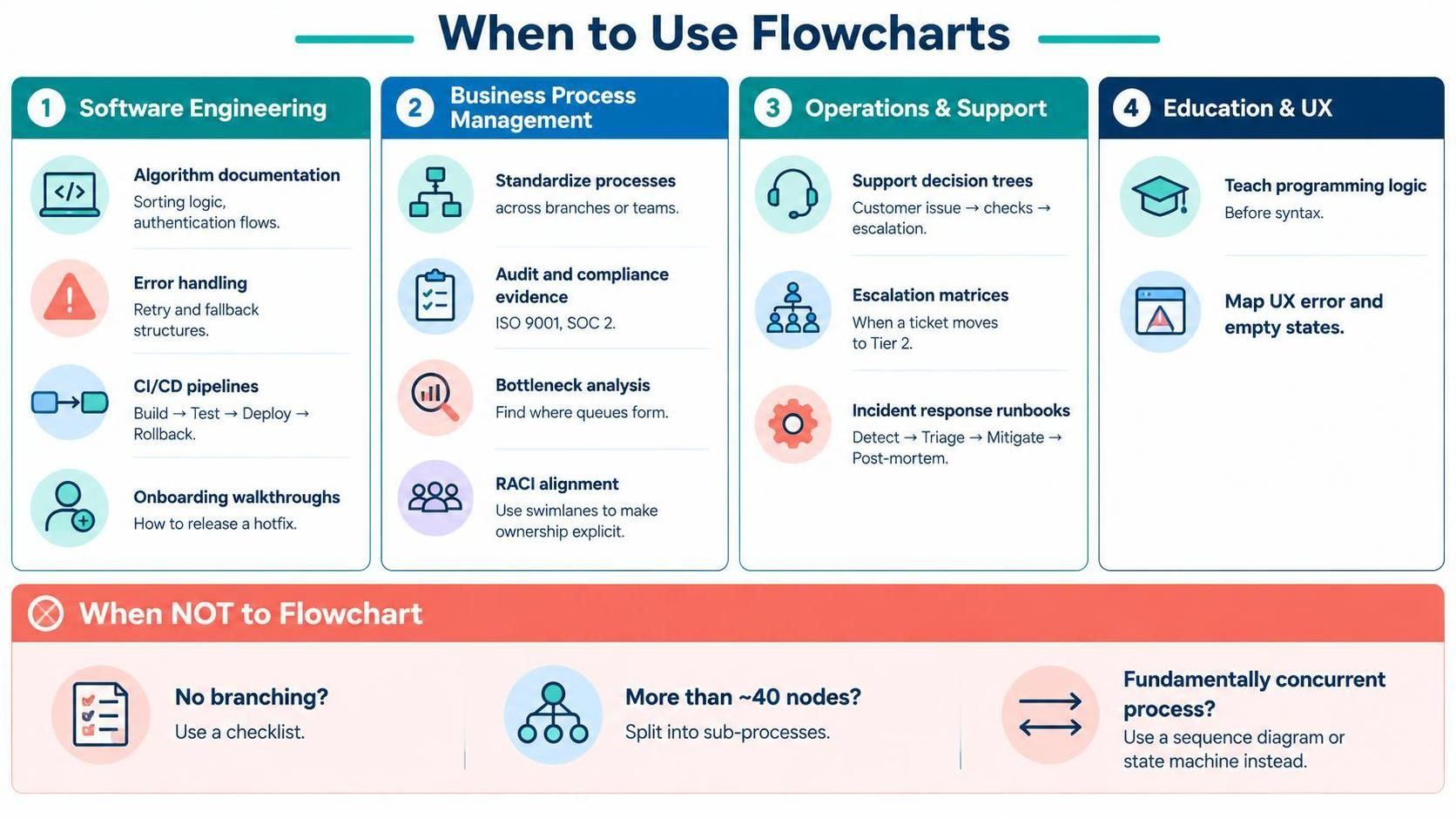
In the complex landscape of systems analysis and business architecture, visual communication is paramount. While many tools exist to document workflows, the classic Flowchart remains a cornerstone for representing logical sequences and decision points. However, the value of a flowchart lies not just in drawing it, but in knowing when to deploy it and understanding the specific domains where it shines. This guide explores the strategic applications of flowcharting, ranging from software engineering logic to regulatory compliance.
The Four Pillars of Flowchart Applications
Flowcharts are versatile, but they are most effective when applied to specific categories of processes. Below, we break down the primary use cases for integrating flowcharts into your technical and business documentation.
1. Software Engineering
In the development lifecycle, clarity is the enemy of bugs. Flowcharts serve as a bridge between abstract logic and concrete implementation.
- Algorithm Documentation: Before writing a single line of code, developers often use flowcharts to map out sorting logic or authentication flows. This ensures the logical path is sound before syntax is applied.
- Error Handling Specs: A robust system is defined by how it fails. Flowcharts are ideal for visualizing retry/fallback structures, showing exactly what happens when a request times out or a database connection drops.
- CI/CD Pipelines: Modern DevOps workflows are linear but complex. A flowchart can map the critical path:
Build → Test → Deploy → Rollback. - Onboarding Walkthroughs: For new developers, explaining “how to release a hotfix” is best done visually, highlighting the specific gates and approvals required.
2. Business Process Management (BPM)
For organizations managing operations across multiple teams or branches, consistency is key. Flowcharts provide the standardization necessary for scaling.
- Process Standardization: By documenting workflows, companies can ensure that a process performed in the New York branch is identical to one in London.
- Audit and Compliance: External auditors for standards like ISO 9001 or SOC 2 often request explicit documentation of controls. A flowchart serves as the perfect evidence of a compliant process.
- Bottleneck Analysis: By visualizing the flow, you can easily spot where queues form. If a specific step has a high “wait time” visualized in the diagram, you know exactly where to optimize.
- RACI Alignment: Flowcharts can be extended with swimlanes to make ownership explicit (Responsible, Accountable, Consulted, Informed), clarifying who does what.
3. Operations & Support
When the system is live, the goal is speed and resolution. Flowcharts act as the “brain” for support agents.
- Support Decision Trees: Instead of searching a knowledge base, agents can follow a visual tree: “If customer says X, check Y, then escalate.”
- Escalation Matrices: Visual diagrams clearly define the thresholds: “At what point does a ticket move from Tier 1 to Tier 2?”
- Incident Response Runbooks: In a crisis, there is no time to think. A flowchart outlines the critical sequence: Detect → Triage → Mitigate → Post-mortem.
4. Education & UX
Beyond engineering and operations, flowcharts are powerful pedagogical tools.
- Teaching Programming Logic: Before introducing the syntax of a language like Python or Java, educators use flowcharts to teach the underlying logic of loops and conditionals.
- UX Journey Mapping: User Experience designers use flowcharts to map out error states and empty states, ensuring the user interface handles negative scenarios gracefully.
The Art of Subtraction: When NOT to Flowchart
Just as important as knowing when to use a flowchart is knowing when not to. Over-documenting simple processes can lead to “diagram fatigue.” According to best practices, you should skip the flowchart if:
- The process has no branch logic: If the workflow is purely linear with no decisions, a simple checklist is more efficient and readable.
- There are more than ~40 nodes: A diagram with more than 40 nodes becomes a “spaghetti diagram” that is impossible to read. In this case, split the logic into sub-processes.
- The domain is fundamentally concurrent: If processes happen simultaneously or depend on complex state changes rather than a linear path, a flowchart is the wrong tool. Instead, use a Sequence Diagram or a State Machine diagram.
Conclusion
Whether you are defining a CI/CD pipeline, training a new hire, or satisfying a compliance auditor, the flowchart is a universal language of logic. By understanding the boundaries of its use—specifically avoiding it for simple checklists or highly concurrent systems—you ensure that your diagrams remain high-value assets rather than clutter.
 vpadmin
- November 13, 2026
