


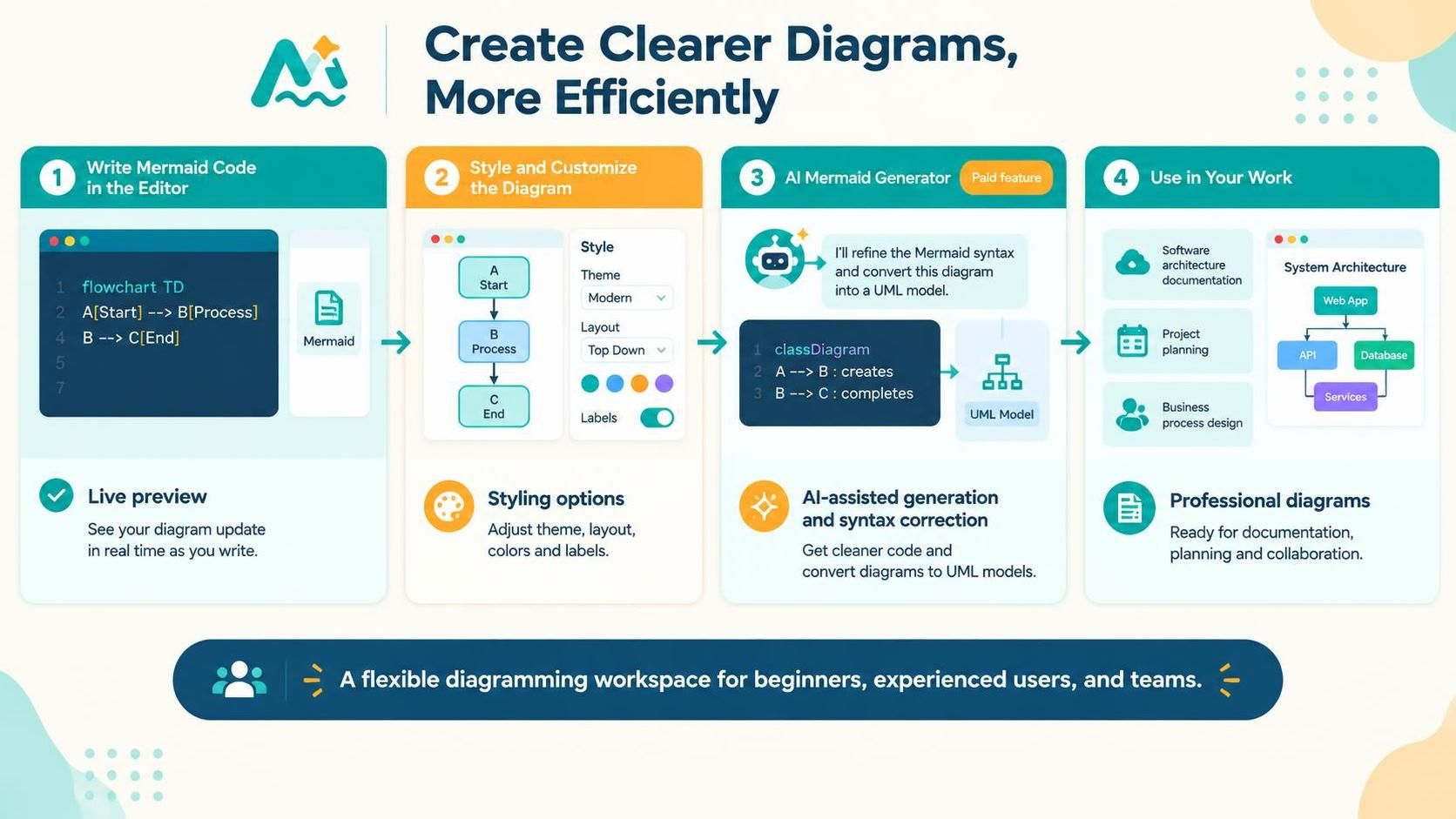
In the realm of software engineering and system architecture, visual communication is paramount. Complex logic and data structures are often best understood when represented graphically. However, traditional drag-and-drop interfaces can sometimes lack the flexibility required for rapid iteration, while raw code-based tools can have a steep learning curve.
This tutorial explores the modern approach to diagramming using Visual Paradigm’s VPasCode platform. By integrating the power of Mermaid.js with intelligent AI generation, this workflow bridges the gap between manual coding precision and automated efficiency. We will walk through the architecture of creating diagrams, styling them for professional presentation, and leveraging AI to transform simple flowcharts into complex UML models.
1. The Foundation: Writing Mermaid Code in the Editor
The process begins with the Mermaid.js editor. Unlike visual editors where you click and connect shapes, this environment relies on a text-based, declarative language. This approach allows for version control, portability, and speed for experienced users.
When you start a new diagram, you define the structure using specific keywords. For instance, a simple transition diagram (flowchart) starts with the flowchart declaration. Nodes are defined by IDs, and connections are drawn using arrow syntax.
flowchart TD
A[Start] --> B[Process]
B --> C[End]
Key Concept: The Live Preview
One of the most powerful features of this environment is the Live Preview. As you type the code, the system parses the syntax and renders the visual representation in real-time. This immediate feedback loop allows you to catch syntax errors instantly and visualize the logic flow without needing to compile or export files.
2. Styling and Customization: Beyond the Basics
While the default rendering of Mermaid code is functional, professional documentation often requires a specific aesthetic that aligns with corporate branding or industry standards. VPasCode provides a robust styling interface that decouples the logic (the code) from the presentation (the look).
You can customize the following elements without altering the underlying code structure:
- Theme Selection: Switch between different visual themes (e.g., “Modern,” “Default,” or “Forest”) to change the color palette and font styles globally.
- Layout Configuration: Define the flow direction of the diagram. For instance, setting the layout to
Top Down(TD) ensures the process flows vertically, whereasLeft Right(LR) creates a horizontal timeline. - Visual Attributes: Adjust node shapes, fill colors, and line thicknesses.
This separation of concerns is crucial for maintainability. You can change the entire visual style of a diagram with a few clicks, leaving the logical code intact.
3. The AI Mermaid Generator: Intelligent Automation
For users who need to scale their documentation or convert existing models into different formats, the AI Mermaid Generator acts as a force multiplier. This feature, often found in the paid tiers of the tool, goes beyond simple syntax correction.
Intelligent Syntax Correction
If your Mermaid code contains a minor error—such as a missing bracket or an invalid node ID—the AI can detect the issue and automatically refactor the code to ensure it renders correctly.
Model Conversion (Flowchart to UML)
One of the most advanced capabilities is the ability to convert simple diagrams into formal UML (Unified Modeling Language) models. For example, the AI can analyze a basic flowchart describing a user login process and convert it into a Class Diagram or a Sequence Diagram, adding the necessary class definitions and method signatures.
The AI acts as a bridge between high-level conceptual thinking and rigorous engineering specifications. It allows a user to write a simple logic flow and receive a structured, object-oriented model in return.
4. Professional Deployment and Workflow Integration
The final stage of this architecture is Usage in Work. Once a diagram is styled and potentially converted by AI, it is ready for integration into broader documentation workflows.
- Software Architecture Documentation: Use the generated diagrams to create high-level system architecture views. These can be exported as images or SVGs to be embedded directly in technical wikis or README files.
- Project Planning: Flowcharts can be adapted into project timelines or process maps to communicate milestones to stakeholders.
- Business Process Design: Complex business rules can be visualized to ensure alignment between IT teams and business analysts.
The flexibility of this workspace ensures that whether you are a beginner writing your first flowchart or an experienced architect defining a microservices ecosystem, the tool scales to meet your precision requirements.
Conclusion
By combining the raw power of Mermaid.js with the user-friendly interface of VPasCode and the cognitive assistance of AI, you can create clear, professional diagrams efficiently. This ecosystem empowers teams to focus on the what and why of system design, rather than the tedious how of manual drawing.
 vpadmin
- November 20, 2026
