


Visual Paradigm is a comprehensive software development platform that supports the entire lifecycle of software projects. However, because it offers a vast array of features ranging from simple diagramming to full-scale enterprise architecture, selecting the correct edition is crucial for maximizing return on investment. Whether you are a student starting your first UML project or an Enterprise Architect managing complex TOGAF frameworks, understanding the specific strengths of each version is the first step toward successful system design.
1. The Enterprise Architect: Governance and Frameworks
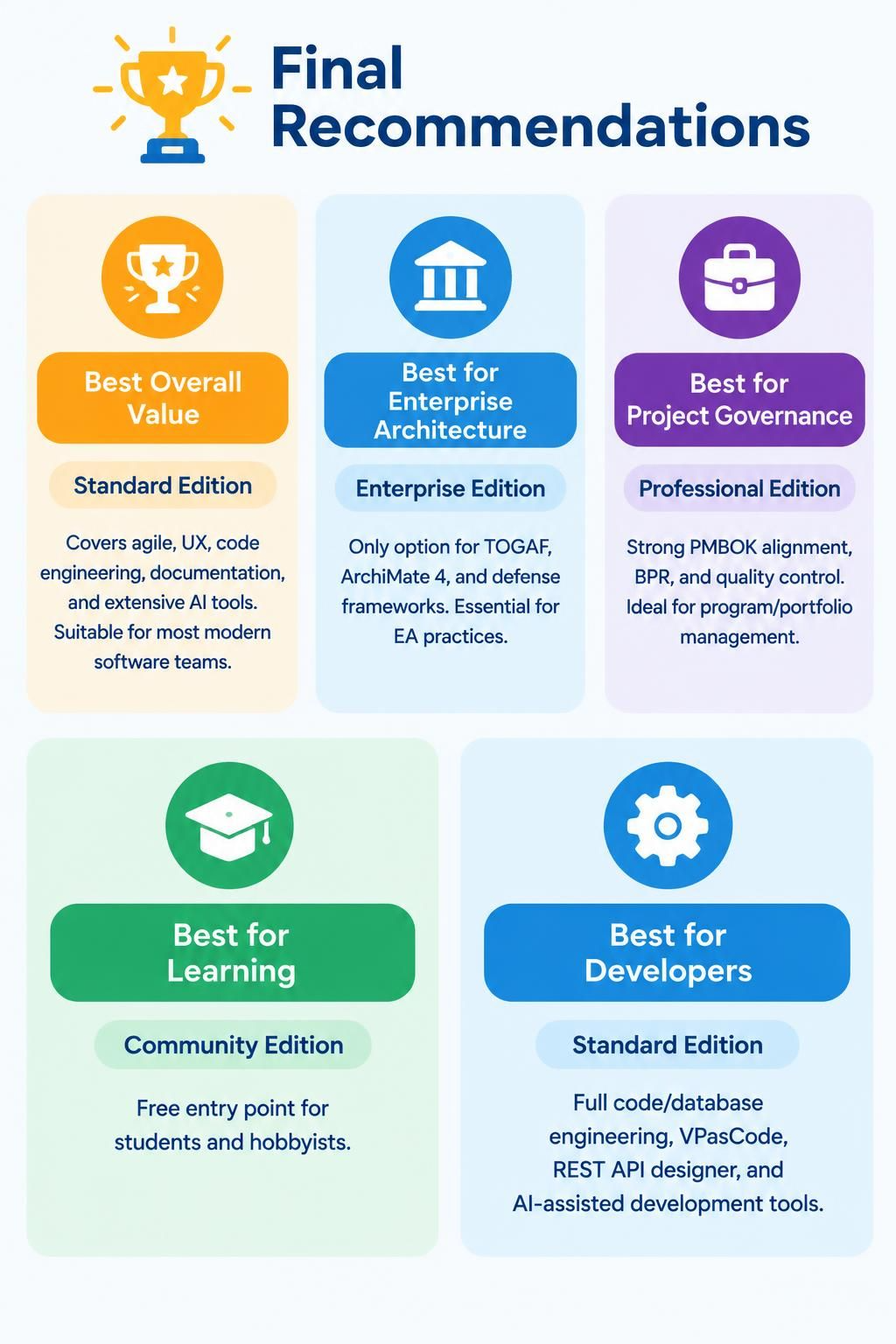
For organizations requiring strict adherence to industry standards and complex governance structures, the Enterprise Edition stands as the definitive choice. This edition is not merely a tool for drawing diagrams; it is a repository for managing system-wide complexity.
The primary differentiator of the Enterprise Edition is its exclusive support for high-level architectural frameworks. If your organization operates under the TOGAF (The Open Group Architecture Framework) standard or utilizes ArchiMate 4, the Enterprise Edition is the only version that provides native support for these specific modeling languages. It is also essential for teams working within defense or government sectors that rely on specialized defense frameworks.
- Target Audience: Chief Architects, Solution Architects, Enterprise Architects.
- Key Capability: Support for TOGAF, ArchiMate 4, and Defense Frameworks.
2. The Project Manager: Governance and Quality Control
While the Enterprise Edition focuses on high-level structure, the Professional Edition is tailored for those managing the “how” and “when” of delivery. This edition aligns heavily with project management standards, specifically PMBOK (Project Management Body of Knowledge).
If your role involves program management, portfolio management, or Business Process Reengineering (BPR), the Professional Edition offers the necessary tools for quality control and governance. It bridges the gap between abstract architectural goals and the tangible execution of projects, ensuring that the software being built meets strict quality metrics.
- Target Audience: Program Managers, Portfolio Managers, Business Analysts.
- Key Capability: Strong PMBOK alignment and BPR support.
3. The Modern Software Team: Best Overall Value
For the majority of modern software development teams, the Standard Edition offers the most comprehensive balance of features and cost. It is designed to be a “one-stop shop” for agile development, covering everything from User Experience (UX) design to code engineering.
This edition is particularly powerful for developers who need to integrate code generation directly into their modeling workflow. It includes support for VPasCode (Visual Paradigm as Code), allowing for version control integration, and features a dedicated REST API designer. Furthermore, it includes extensive AI tools to assist in the generation of diagrams and code, making it the most versatile option for agile teams.
- Target Audience: Agile Teams, Software Developers, UX Designers.
- Key Capability: Agile, UX, Code Engineering, REST API Designer, AI Tools.
4. The Developer: Code and Engineering Focus
Interestingly, for pure development tasks, the Standard Edition is also highlighted as the best choice. Developers who require deep integration with database engineering, full code generation, and REST API design will find the Standard Edition to be their primary environment. The inclusion of AI-assisted development tools further cements its status as the preferred tool for the modern engineer.
5. The Student: Learning and Exploration
For those new to the world of system architecture and modeling, the Community Edition serves as a free entry point. It allows students and hobbyists to learn the fundamentals of UML, BPMN, and other modeling notations without the barrier of licensing costs.
Summary of Selection Criteria
When making your decision, consider the following decision matrix:
- Do you need TOGAF or Defense Frameworks? If yes, choose Enterprise Edition.
- Are you focused on Program Management or PMBOK? If yes, choose Professional Edition.
- Are you a Developer or Agile Team? If yes, choose Standard Edition.
- Are you a Student or Hobbyist? If yes, choose Community Edition.
By aligning your team’s specific needs with the right edition, you ensure that your Visual Paradigm Desktop installation is optimized for your workflow, whether that workflow is focused on high-level enterprise governance or detailed code engineering.
 vpadmin
- November 19, 2026
