


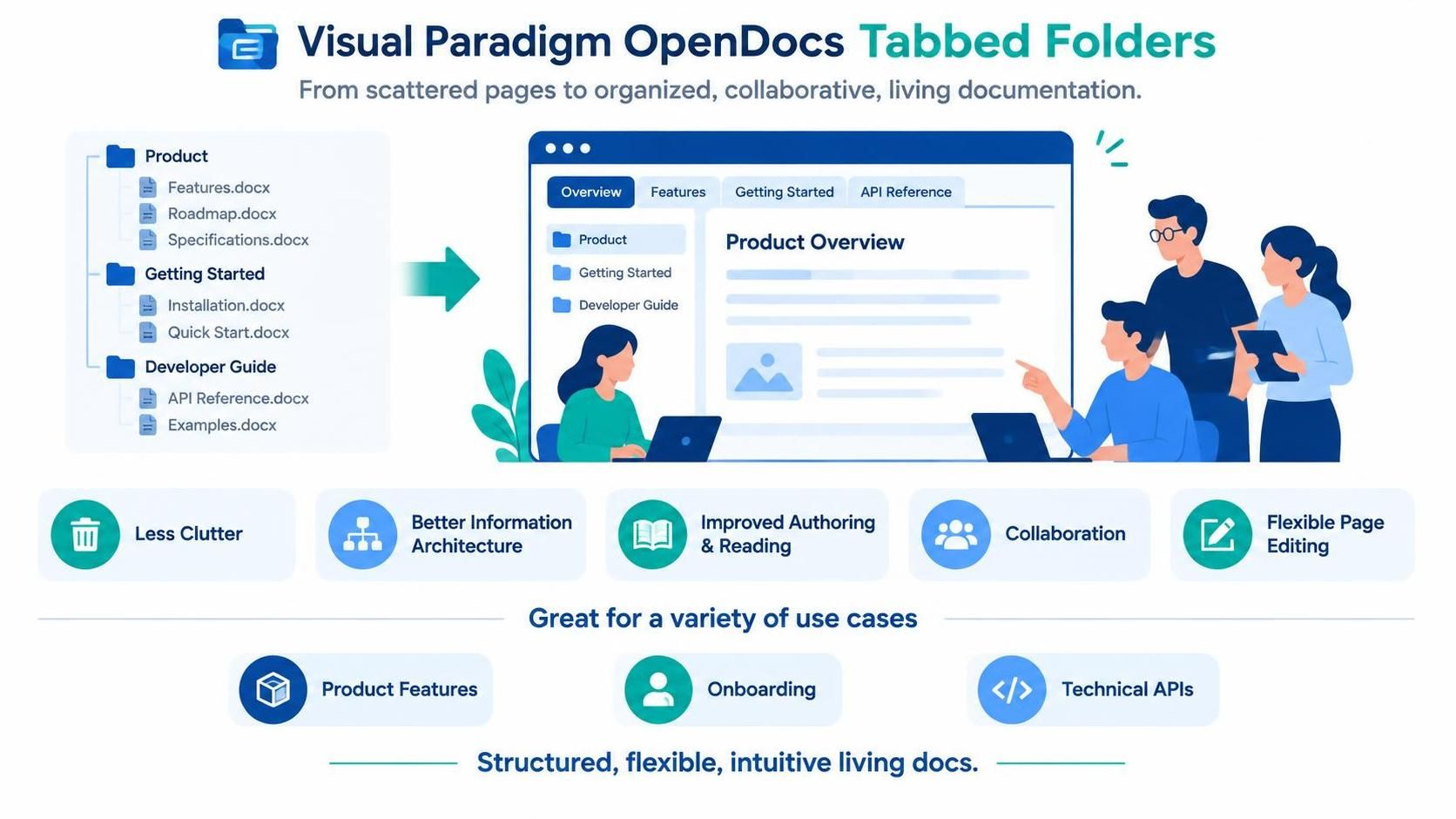
In the modern era of technical documentation, the transition from static, linear file trees to dynamic, user-centric interfaces is not just a design trend—it is a fundamental architectural shift. Visual Paradigm OpenDocs introduces a powerful feature known as Tabbed Folders, which reimagines how development teams organize, maintain, and consume complex information. This tutorial explores the underlying concepts of this feature, demonstrating how it transforms scattered documents into a cohesive, living documentation ecosystem.
The Evolution of Information Architecture
Traditionally, documentation systems have relied on hierarchical file structures—essentially digital folders and subfolders. While logical for storage, this “tree” view often creates friction for the end-user. When navigating a deep directory of files, the cognitive load increases, and the context of the information is often lost. You must constantly navigate away from your current topic to find related documents.
Visual Paradigm OpenDocs addresses this by decoupling the storage structure from the presentation structure. The system architecture behind Tabbed Folders allows authors to map multiple physical or logical files into a single, seamless browser-like interface. This approach aligns documentation with how users actually search for information: by topic and workflow, rather than by file path.
Key Architectural Components
The Tabbed Folders system is built upon three core pillars that enhance the user experience:
- Dynamic Tabbing: Instead of loading entire pages or navigating to new URLs, the interface renders content within a tabbed container. This allows for instant switching between contexts (e.g., “Overview,” “Features,” “API Reference”) without the overhead of page reloads.
- Logical Grouping: You can group related documents—such as a “Product Overview,” a “Roadmap,” and “Specifications”—into a single visual folder. This reduces the “clutter” factor, presenting a clean UI even when the backend contains numerous distinct assets.
- Collaborative Editing: The system maintains the flexibility of individual page editing. Authors can still work on specific files (like
Installation.docxorAPI Reference.docx) while the frontend aggregates them into a unified experience.
Implementing the Tabbed Structure
To effectively utilize this feature, one must understand the workflow of mapping content. The process typically involves defining a “Root” folder and then assigning child documents to specific tabs. This creates a structured yet flexible hierarchy.
Consider a scenario where you are documenting a new software release. In a traditional file tree, your directory might look like this:
/docs
  /product
    features.docx
    roadmap.docx
    specifications.docx
  /getting-started
    installation.docx
    quick-start.docx
  /developer-guide
    api-reference.docx
    examples.docx
Using OpenDocs Tabbed Folders, you would logically restructure this into a cohesive project view. The interface groups these disparate files under intuitive headings, allowing the user to toggle between Overview, Features, and API Reference seamlessly.
Best Practices for Structuring
When setting up your Tabbed Folders, adhere to the following principles to ensure scalability:
- Consistent Naming: Ensure tab labels match the content within. If a tab is labeled “API Reference,” it should contain strictly API-related documentation, not general product info.
- Depth Control: While you can nest folders, keep the top-level tab structure shallow. A user should be able to find the root context within one or two clicks.
- Content Density: Use Tabbed Folders to break up long walls of text. If a single document is 50 pages long, consider splitting it into logical sections (Introduction, Configuration, Troubleshooting) across different tabs.
Use Cases for Enhanced Collaboration
The versatility of the Tabbed Folders architecture makes it suitable for a wide range of documentation scenarios:
- Product Features: Organize feature sets into tabs (e.g., “Security,” “Analytics,” “Reporting”) to prevent feature creep from overwhelming the documentation structure.
- Onboarding Processes: Create a step-by-step journey where each tab represents a milestone in the user’s onboarding, such as “Setup,” “First Run,” and “Advanced Configuration.”
- Technical APIs: For developers, separating “Auth,” “Endpoints,” and “SDK Examples” into tabs streamlines the discovery process, reducing the time to code integration.
Conclusion
By embracing the Tabbed Folders feature in Visual Paradigm OpenDocs, organizations can move beyond simple file storage to true documentation management. This shift not only streamlines the authoring workflow by reducing clutter but also delivers a superior, intuitive experience for the end-user. As your documentation grows, the ability to present complex information in a structured, tabbed interface becomes an essential asset for any technical team.
 vpadmin
- November 12, 2026
