


Visual Paradigm has long established itself as a heavyweight in the realm of software engineering and system architecture. However, as the industry shifts towards cloud-native workflows, the distinction between its native Desktop application and its browser-based Online platform has become a critical decision point for architects and developers. This tutorial dissects the architectural differences, use cases, and integration strategies for Visual Paradigm Desktop versus Visual Paradigm Online.
The Core Philosophy: Depth vs. Accessibility
When evaluating the Visual Paradigm suite, it is essential to understand the underlying philosophy of each product line. They are not merely different interfaces for the same tool; they are optimized for different stages of the Software Development Life Cycle (SDLC).
1. Visual Paradigm Desktop: The Engineering Workbench
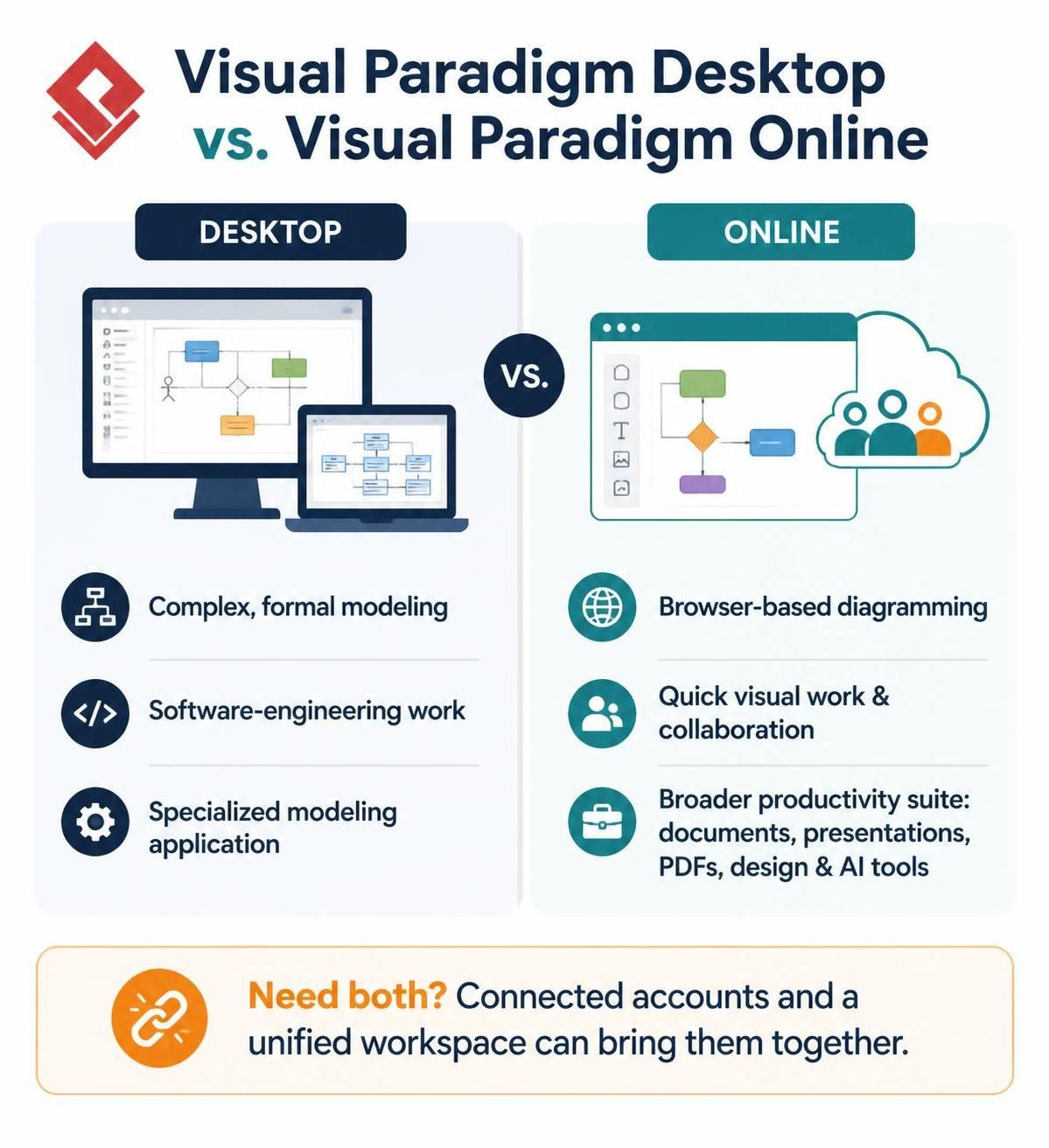
Visual Paradigm Desktop is designed for complex, formal modeling and heavy-duty software-engineering work. It functions as a specialized modeling application that leverages the full power of a local operating system.
- Performance: It handles large-scale models with thousands of elements without the latency often associated with web rendering engines.
- Formalism: It supports strict adherence to industry standards (like UML 2.x, BPMN 2.0, SysML) with rigorous validation rules required for professional documentation.
- Integration: It offers deep integration with local development environments (IDEs) and version control systems for Model-Driven Engineering (MDE).
2. Visual Paradigm Online: The Collaborative Cloud
Visual Paradigm Online is built for browser-based diagramming and rapid prototyping. It prioritizes accessibility and ease of use, allowing teams to engage in quick visual work & collaboration without the overhead of installation.
- Accessibility: As the name suggests, it runs entirely in the browser, making it platform-agnostic (Linux, Mac, Windows, ChromeOS).
- Collaboration: It features real-time multi-user editing capabilities, allowing multiple stakeholders to visualize a system simultaneously.
- Productivity Suite: It extends beyond pure modeling to include broader productivity tools, such as document creation, presentations, PDFs, and integrated AI tools for code generation.
Architectural Decision Logic
Choosing the right environment depends on your immediate technical requirements. The following logic flow helps determine the optimal tool for your current project phase.
IF project requires:
  - Complex, formal modeling
  - Heavy software-engineering work
  - Specialized modeling application features

THEN:
  Use Visual Paradigm Desktop

ELSE IF project requires:
  - Browser-based diagramming
  - Quick visual work
  - Real-time collaboration

THEN:
  Use Visual Paradigm Online
Bridging the Gap: The Unified Workspace
One of the most powerful features of the Visual Paradigm ecosystem is the ability to leverage both platforms simultaneously. You do not have to choose one exclusively. Through connected accounts, the Desktop and Online versions communicate via a unified workspace.
This architecture allows you to:
- Draft Online, Engineer Offline: Create initial sketches or collaborative diagrams in the Online browser environment, then sync them to the Desktop for rigorous formal modeling and code generation.
- Shareable Artifacts: Export complex Desktop models as web-viewable diagrams for stakeholders who do not have the Desktop software installed.
- Centralized Repository: Maintain a single source of truth for your architectural assets, accessible via the cloud.
Conclusion
For organizations requiring a robust engineering environment, Visual Paradigm Desktop remains the gold standard. However, for agile teams needing speed and connectivity, Visual Paradigm Online provides the necessary flexibility. By utilizing both through a unified account, you gain a comprehensive toolkit that adapts to the specific needs of every project phase.
 vpadmin
- November 10, 2026
